The suburban growth blueprint: how hyper-local sub-market hubs win relocation buyers in fast-growing metros
Relocating buyers rarely search for a whole metro. They search for a school zone, a community, a price. How to build the pages that answer those searches.

How do sub-market hubs capture relocation buyers better than city pages?
A sub-market hub is a dedicated page for a specific subdivision, master-planned community, or school zone, rather than a whole city. It brings together live listings, HOA fees, property tax rates, school boundaries, and commute times at one address. That matches how relocating buyers narrow their search, so the page can rank for specific searches that a broad city page misses and answer the questions a stranger to the area actually has.
Someone moving to a fast-growing metro, whether North Texas, the Florida Sunbelt, or suburban Denver, may begin with a broad search like Dallas homes for sale. It does not stay broad for long. Within a few sessions they are typing things like:
- Best master-planned communities in Prosper ISD with a lagoon
- 4-bedroom new construction under $900k in Celina TX
- Subdivisions near PGA Frisco
If your site only offers a city page and a raw MLS map, it has nothing to show for any of those searches, and the buyer lands on someone else's page.
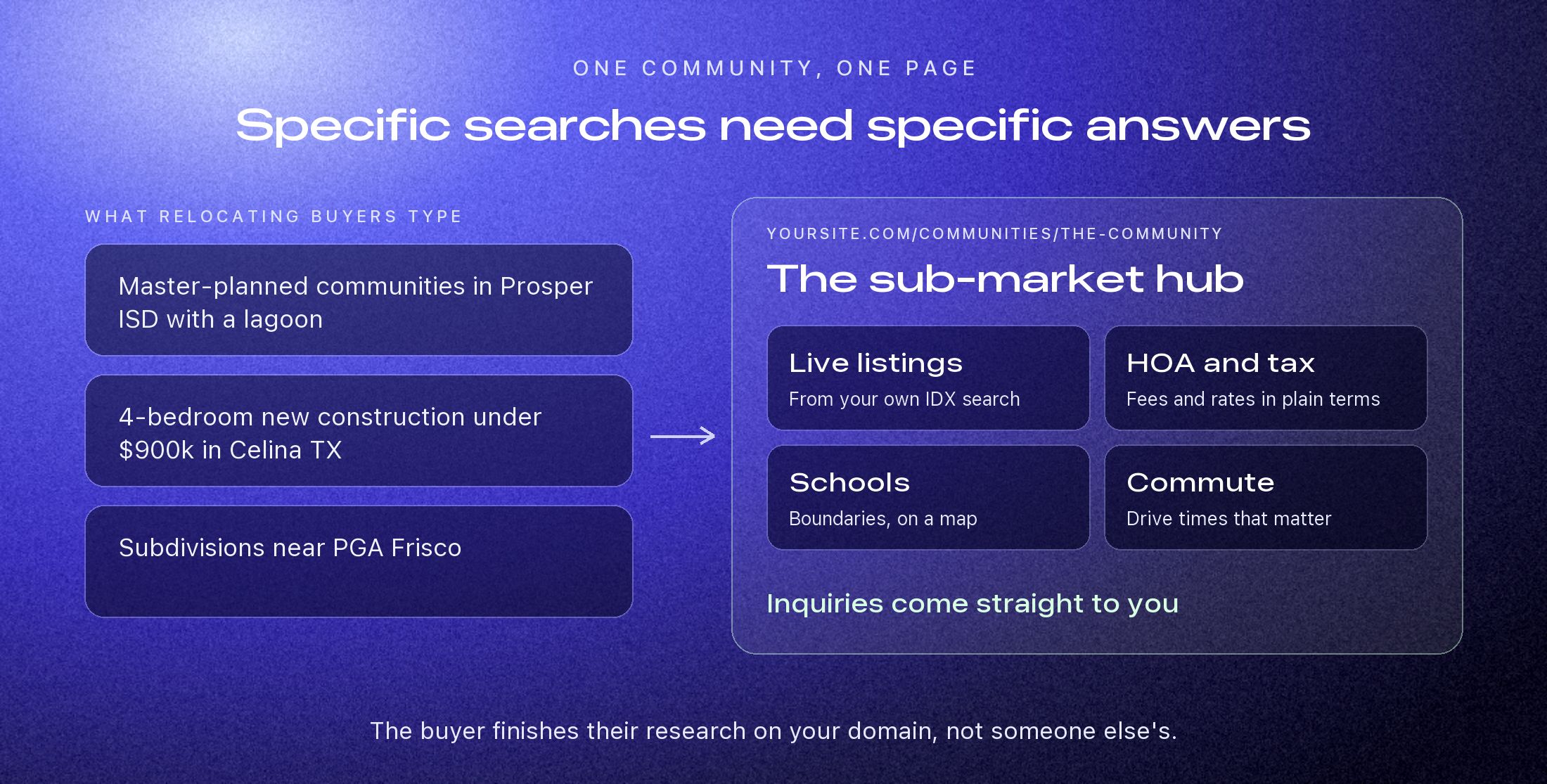
The three layers of a sub-market hub
1. Subdivision pillar pages
A thin paragraph under a stock photo will not do it. A community like Windsong Ranch, Star Trail, or Mustang Lakes deserves its own page: original photography, live listings from your own IDX search, a plain summary of HOA fees and tax rates, amenities, and an honest note on who the community suits.
2. Tax, school, and commute tools
Out-of-state buyers are often surprised by local property tax rates and unsure where school boundaries fall. Texas is the classic case, where a tax rate can change the monthly payment as much as the price does. A simple calculator or boundary map on the neighborhood page answers that before they have to ask. Label estimates as estimates, and say where the figures come from and when they were updated.
3. Local schema and clear entities
Structured data, such as Place and PostalAddress markup in JSON-LD, states plainly what the page is about and where. Paired with consistent names and links between related pages, it helps search engines and AI assistants like ChatGPT and Perplexity connect your site to that community. It cannot make up for thin content, but it makes good content easier to understand and cite.
City page or sub-market hub
| Broad city page | Sub-market hub | |
|---|---|---|
| Address | One page for all of Frisco | A dedicated URL for each community |
| Local detail | Little on HOA fees or schools | HOA fees, tax rates, and school zones |
| New construction | Whatever the feed returns | Active builders and current incentives, kept up to date |
| Where the lead goes | A generic form, or back to a portal | Directly to you, from your own domain |
3
Layers in a strong hub
1
URL per community
5+
Local questions each page should answer
Nobody relocates to a metro area. They relocate to a street, a school, and a commute.
Start with one community
You do not need fifty pages to begin. Choose the two or three communities you know best, and make those pages the most useful ones on the web for someone moving there. Add more as you see which searches and inquiries come in.
When a family from out of state finds a page that answers everything about the neighborhood they have been eyeing, they have little reason to keep looking. They save the site and reach out directly. Book a demo to plan your first hubs.