The death of the PDF buyer guide: why interactive web tools capture more real estate leads
A downloadable guide gets you an email address and nothing else. What interactive calculators and comparison tools do instead, and the three worth building first.
Why do interactive web tools outperform downloadable PDF guides?
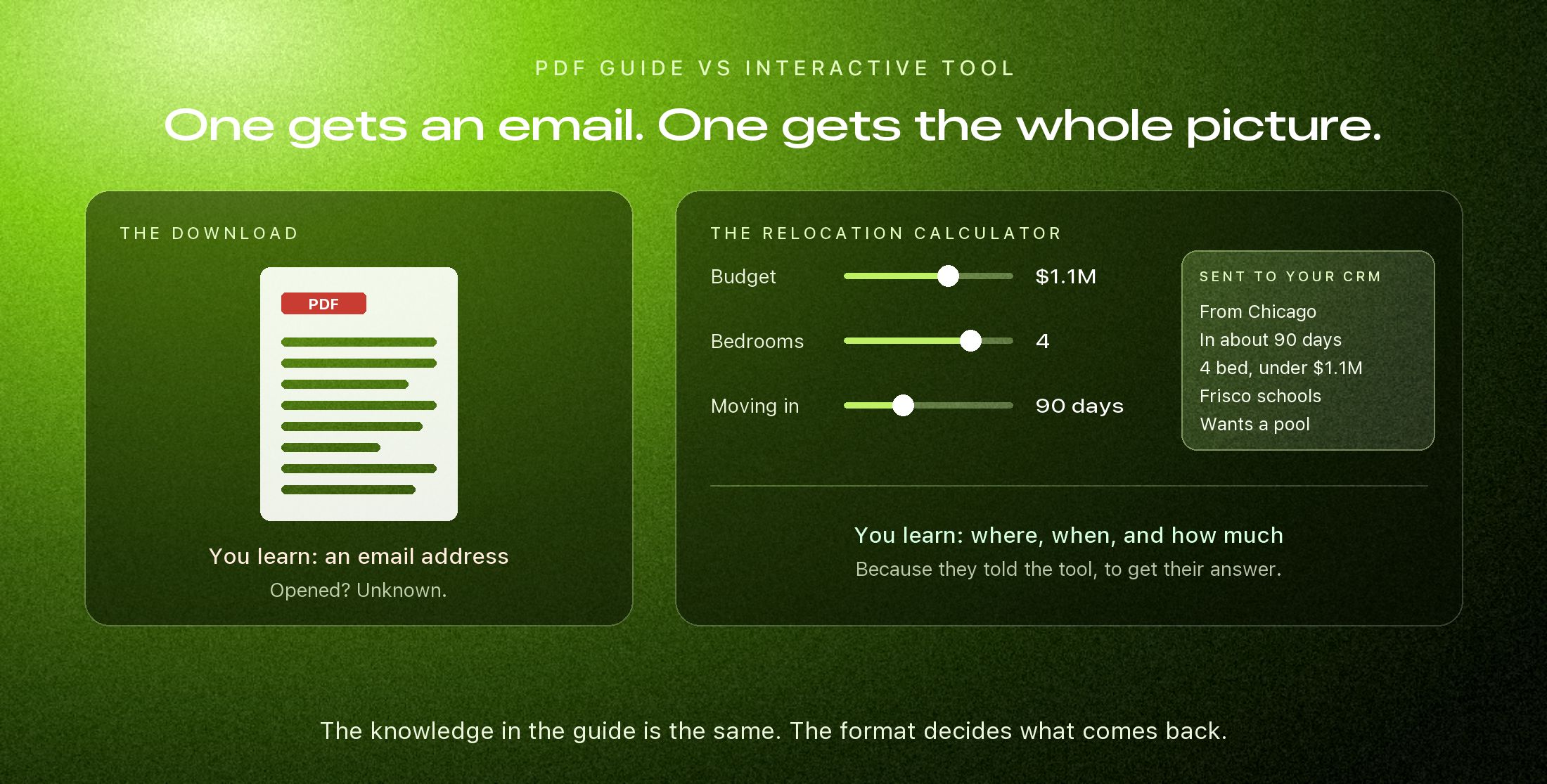
A PDF guide asks a visitor to trade their email for a file, download it, and open it later, which on a phone most people never do. Once it is saved, you learn nothing more about that person. An interactive web tool, such as a relocation cost estimator, a home value calculator, or a neighborhood comparison, works right on the page, gives an answer immediately, and records what the visitor entered. You get a lead with a budget, a timeline, and a target area attached instead of a bare email address.
For years the standard real estate lead magnet was a form that said enter your email to download our twenty page home buyer guide. It worked when people browsed on a desktop and printing a PDF was a normal thing to do.
Most of your visitors are on a phone now. A PDF on a phone is a file in a downloads folder, laid out for a sheet of paper, read by pinching and dragging. The visitor gets something awkward, and you get an email address with no idea what that person actually wanted.
What the PDF costs you
| Downloadable PDF guide | Interactive web tool | |
|---|---|---|
| On a phone | A file sized for paper | Part of the page, built for a thumb |
| What the visitor gets | Generic information, later | An answer about their situation, now |
| What you learn | An email address | Budget, timeline, area, and what they compared |
| After the first visit | No way to know if it was opened | Every return visit and change is visible |
Three tools worth building first
1. A relocation cost and lifestyle calculator
In place of a static moving checklist, the visitor enters where they are coming from, their household size, and the area they are considering. The page responds with what changes for them: property tax rates, typical utility costs, commute times, and the school options nearby. The natural next step at the end is a conversation, and by then the visitor has a reason to want one.
2. A home value tool the owner can adjust
The usual what is my home worth box takes an address and returns a number. A better one lets the homeowner tell it what the public record does not know: the kitchen was redone, the roof is new, a pool went in. Each adjustment moves the estimate, and each one is a fact you would otherwise have to ask for on the phone.
Two cautions. The result should be labeled as an estimate rather than an appraisal, and the adjustments should be modest and explained. The point is an honest starting figure and an owner who has thought about their house for two minutes, not a flattering number.
3. Side by side community comparisons
Let a buyer pick two or three communities and see HOA fees, tax rates, amenities, and builders next to each other. This is the question buyers are already answering with four browser tabs and a notes app. Answer it on your site and you also learn which communities they are choosing between.
1
Question a tool should open with
3
Tools worth building before any others
0
Downloads required to get an answer
The part that matters: what you learn
When a buyer finishes a relocation calculator on a site we build, the agent does not receive a name and a phone number. The CRM receives a profile, something like: planning to move from Chicago in about 90 days, looking for four bedrooms under $1.1M, focused on Frisco schools, wants a pool.
That changes the first call completely. You are not opening with so what are you looking for. You are opening with three homes that fit. The same detail feeds any automated follow up, which is why a first text can reference the right town instead of sounding like a form letter.
A PDF tells you someone was curious. A tool tells you what they were curious about.
The rules that keep a tool honest
- Give the answer before you ask for contact details, or at least part of it. A tool that hides everything behind a form is a contact form with extra steps.
- Ask only for what the calculation needs. Every extra field is a reason to leave.
- Say what the numbers are based on and when they were last updated. An estimate with a source is credible. An estimate with none is a gimmick.
- Make every control work with a thumb and with a keyboard. A slider nobody can operate is worse than a plain text box.
Keep the guide, change the format
None of this means your buyer guide was a waste. The knowledge in it is the valuable part. Put it on the site as real pages a search engine and an AI assistant can read, and let the tools do the job the download form was doing badly.
Clozma builds calculators, neighborhood quizzes, and comparison tools into the sites we design, in the same typefaces and colors as everything around them, wired to your CRM. The site stops being a brochure with a download button and starts being something a buyer can use.